
Blog
Recent

Why Fiber Internet Can Still Feel Slow
Have fiber Internet but still experiencing slow speeds? Learn the most common causes and how to improve your home network performance.

Unmanaged Ethernet Switches Explained: Simple, Fast, No Setup
Unmanaged Ethernet switches expand your wired network instantly with no setup required. Learn how they work, when to use one, and whether Gigabit or 2.5 Gigabit is right for your home or office.

How to Add More Ports to Your Router
Need more Ethernet ports on your router? Learn how to safely add more wired connections using an Ethernet switch for faster, more reliable home networking.

What Is a 2.5 Gigabit Ethernet Switch — And Do You Need One?
Learn what a 2.5 Gigabit Ethernet switch is, when it makes sense to upgrade, and how to choose the right unmanaged or PoE switch for your home or small office network.

How to Stay Online When Your Internet Goes Down
When your internet goes down, staying connected doesn’t have to mean scrambling. Learn why outages happen, what actually works, and how to stay online at home.

What is Internet Backup for Home?
Discover the potential of taking your 5G home internet anywhere. Learn about the mobility benefits for remote work, travel, and more, and how to ensure seamless connectivity on the go.

Can You Use MoCA with a Fiber Modem?
Can you use MoCA adapters with fiber Internet? Learn how MoCA works with a fiber modem, ONT or router and what you need to set it up.

What Modem Do I Need for Astound Broadband?
What modem do you need for faster Astound Internet? Learn why the Hitron CODA57 DOCSIS 3.1 mid-high split cable modem supports faster upload technology.

Before You Buy MoCA Adapters: Check These 8 Things
Before you buy MoCA adapters, check these 8 things to make sure your coax wiring, equipment, and home network are ready for a MoCA.

Can I Use the Coax Outlets in My Home for Ethernet?
Yes, you can use many existing coax outlets for Ethernet with MoCA adapters. Learn how to tell if your home’s coax wiring will work with MoCA.

Will MoCA Adapters Work in My Home? 7 Things to Check Before You Buy
Will MoCA work in your home? Check your coax outlets, wiring, splitters, modem setup, and equipment before buying a MoCA adapter.
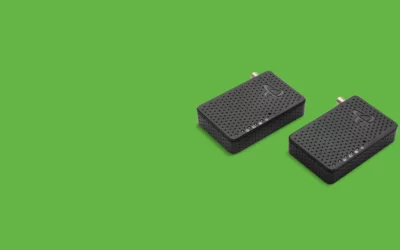
Do I Need One MoCA Adapter or Two?
Do you need one MoCA adapter or two? Learn how many MoCA adapters you need, when one is enough, and how to check if your router already has MoCA.

5 Things to Check if Your Cable Modem Can’t Connect to the Internet
We provide you with the honest information you need to find the best cable modems that are compatible with Xfinity.

Best Xfinity Compatible Modems
We provide you with the honest information you need to find the best cable modems that are compatible with Xfinity.

What is needed for 2.5G Ethernet?
2.5G Ethernet requires specific hardware and a network set up that supports 2.5G speeds. This includes devices with a multi-gig port and Cat6 or Cat 6e cables.

How do I check the health of my modem?
Check your modem’s health to rule out if the problem is with your wiring or ISP with this simple test.

What is 2.5G multi-Gig port?
A 2.5G multi-Gig port is port slot on a modem that you can plug in a specific Cat 6 Ethernet cable to support speeds up to 2.5 Gbps.

What is the difference between 1G and 2.5G Ethernet?
1G and 2.5G Ethernet require different Multi-Gig setups (ports and Cat 5 or 6 cords) to reach and support true speeds. Hitron’s CODA56 is equipped out of the box.

How do you check if a cable is live without a multimeter?
The safest and easiest way to test if a cable or wire is live is by using a cable tester like Hitron’s DSS01 Coax Cable Tester. Plug it in, press a button, and get accurate results.

What is the best cable modem for Gigabit Internet?
The best cable modem for Gigabit Internet is a DOCSIS 3.1 modem. Hitron’s CODA56 cable modem will get you the 2.5G speeds you want.