Most homes already have coaxial cable installed for cable TV service. In fact, a large majority of homes in the U.S. are wired with coax, often with outlets in multiple rooms.
That existing coax wiring can also be used to carry internet data. Instead of running new Ethernet cables through walls, many homeowners convert coaxial cable into Ethernet to create a reliable, wired network connection in rooms where WiFi may be inconsistent or Ethernet is unavailable.
Converting Coaxial Cable to Ethernet
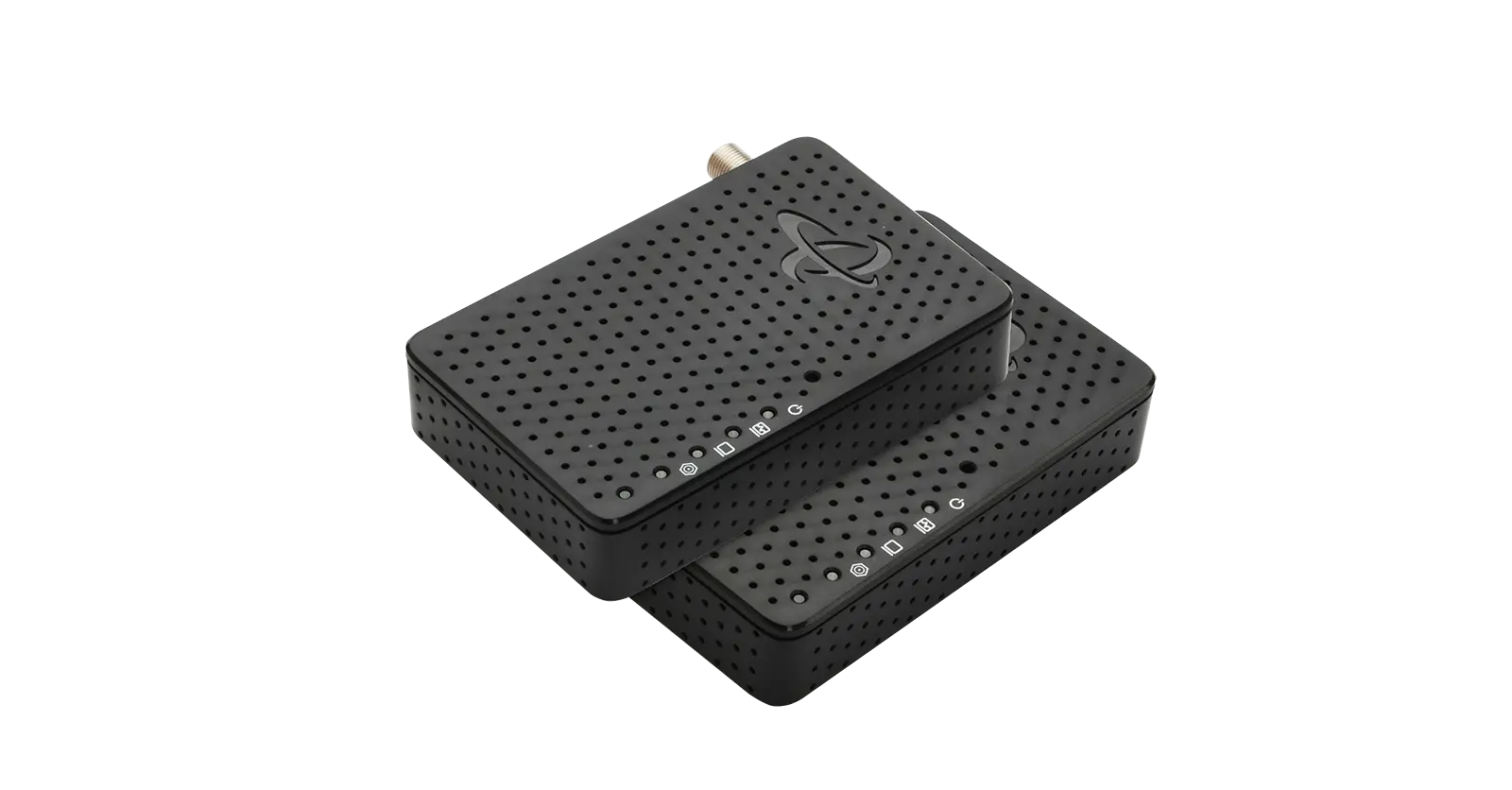
You can convert coaxial cable into an Ethernet connection by using a Coax-to-Ethernet adapter, commonly referred to as a MoCA adapter. MoCA technology allows Ethernet data to travel over existing coax wiring and be converted back into Ethernet where it is needed.
This makes it possible to create wired Ethernet connections in rooms that already have a coax outlet, without modifying your home’s wiring. The result is a stable, low-latency connection that works well for activities such as streaming, remote work, online gaming, and video calls.
Terms You Should Know
Before setting up a coax-to-Ethernet connection, it helps to understand a few key terms:
Coax-to-Ethernet Adapters (MoCA Adapters)
Devices that convert coaxial cable into an Ethernet connection. These are commonly called MoCA adapters or MoCA network adapters.
MoCA (Multimedia over Coax Alliance)
A networking standard developed by the Multimedia over Coax Alliance that enables Ethernet data to be transmitted over coaxial cable.
MoCA Network
A network created when two or more MoCA-enabled devices, such as MoCA adapters or a cable modem with built-in MoCA support, communicate with each other over coaxial wiring.
Converting Coax to Ethernet Using an Adapter
Converting a coax outlet into an Ethernet connection is typically quick and straightforward. Once connected, MoCA adapters use your home’s existing coax wiring to create a wired Ethernet network between rooms.
Because coaxial cable is shielded and designed to carry high-frequency signals, it provides a consistent data path that is not affected by walls or wireless interference. This makes coax-to-Ethernet conversion a practical option for extending reliable internet connectivity throughout the home.
What You Will Need
To convert coaxial cable to Ethernet using MoCA technology, you will need:
- Two MoCA (coax-to-Ethernet) adapters
- Ethernet cable (included with Hitron HTEM5 MoCA Adapters)
- Coaxial cable (included with Hitron HTEM5 MoCA Adapters)
- Existing coax outlets or coax wiring in the locations where you want Ethernet access
Optional, but recommended:
- A MoCA point-of-entry (PoE) filter, which helps keep MoCA signals contained within your home network
A word on Coax Splitters
If you have only one coax outlet in a room and need to connect your TV and another device, such as a cable modem or Coax-to-Ethernet Adapter, you need a Coax splitter. A Coax splitter “split” the coax connection coming from the coax outlet. Remember that each of your devices connected to the splitter need a coax cable.
How to Convert Your Coax to Ethernet
Setting up your Coax-to-Ethernet Adapters to create your MoCA network is very simple – just plug them in. Coax to Ethernet Adapters automatically “see” each other to create an instant MoCA network as soon as they are plugged in.
You will need two MoCA adapters if your modem or router does not have MoCA built in.
Setting up your Coax to Ethernet adapter takes two easy steps:
Step 1: Take one HTEM5 adapter and connect it into a coax TV outlet using a coax wire. Then, using an Ethernet cable, connect your router to the HTEM5 adapter.
Step 2: Take the second HTEM5 adapter and connect it to any other coax outlet in your home. It should establish a MoCA network link automatically with the router.
With MoCA adapters, you can enjoy wireless Internet and also get a wired network experience with reliable, solid Internet connection.
Note: You need a Coax-to-Ethernet adapter for every Ethernet device that you wish to connect to your new MoCA network and to take advantage of the wired Gigabit speeds and reliability.
Advantages of using Coax to Ethernet
- Reliable Wired Connectivity – MoCA provides a wired connection that is not affected by walls, distance, or wireless interference.
- Compatibility with Ethernet Devices – Any device with an Ethernet port, such as computers, streaming devices, or gaming consoles, can connect through MoCA.
- Expandable Network – MoCA networks support up to 16 MoCA adapters, allowing you to extend Ethernet access to additional rooms as needed.
- Consistent Performance – Because coax is shielded, MoCA delivers stable performance suitable for work, streaming, and gaming.
Not Compatible With
Coax to Ethernet Adapters are not compatible with satellite TV or AT&T U-verse Coax networks.
MoCA Network Security
MoCA networks are extremely secure, however, MoCA signals by their very nature, seek each other out. This means that a MoCA signal filter should be placed at the point of entry of your Internet connection into your home, to ensure your MoCA signal does not seek out other MoCA signals coming from a neighboring home.
Frequently Asked Questions
What do I need to convert coaxial cable to Ethernet?
You typically need two MoCA (coax-to-Ethernet) adapters, coaxial cables, Ethernet cables, and existing coax outlets or wiring. A MoCA point-of-entry (PoE) filter is recommended to help keep MoCA signals contained within your home network.
Do I need one or two MoCA adapters?
Most setups use two MoCA adapters—one near the router and one in the room where Ethernet access is needed. If your modem or router already has MoCA built in, fewer adapters may be required.
Do I need a coax splitter to use MoCA?
If a room has only one coax outlet and you need to connect more than one coax device, such as a TV and a MoCA adapter, you may need a coax splitter. Use splitters that are compatible with MoCA frequencies for best performance.
Are coax-to-Ethernet (MoCA) adapters compatible with all services?
MoCA adapters are not compatible with satellite TV services or AT&T U-verse coax networks.
How do I keep my MoCA network secure?
Installing a MoCA point-of-entry (PoE) filter where the cable service enters your home helps prevent MoCA signals from traveling outside your home network.
Create a Better Home Network
Your existing coax wiring is designed to transmit high-bandwidth video signals for your Cable TV service which makes it the perfect vehicle to transmit bandwidth-hungry devices and their traffic demands, such as:
Better Bandwidth
Turn your existing coax TV outlets into a Gigabit Ethernet network connection between your home’s router and WiFi access points. Faster speeds to your WiFi Access points means faster speeds to all of your devices.
Better Video Streaming
Coax to Ethernet (MoCA) adapters create an extremely reliable wired network connection that allows you to stream 4K and HD video that eliminates buffering or freezing.
Better Online Gaming
Creating a faster wired connection lowers latency and combats lag, so you don’t have to worry while online gaming.
By simply using HT-EM5 Coax to Ethernet adapters, you can increase your Internet speeds to your end devices, including enhancing your WiFi performance to every corner of your home.
Want to learn more about coax, Ethernet and MoCA technology? Check out Hitron’s Learn Page for more articles on these topics.