Power over Ethernet (PoE) is a networking technology that allows a single Ethernet cable to transmit both electrical power and network data simultaneously to compatible devices. Instead of requiring separate cables for power and network connectivity, PoE combines both into one Ethernet connection, simplifying installation and reducing cable clutter.
Today, PoE is commonly used to power devices such as:
- Security cameras
- WiFi access points
- VoIP phones
- Smart door access systems
- Network sensors
- Digital signage
- Some lighting systems
For many homes and small businesses, PoE makes expanding a wired network cleaner, simpler, and less expensive than installing electrical outlets in every location.
Whether you’re expanding a home network or deploying dozens of connected devices in a small business, understanding how PoE works can help you design a cleaner, more flexible, and easier-to-manage network.
Key Takeaways:
- PoE delivers both electrical power and network data through a single Ethernet cable.
- One cable can replace separate network and power connections for many devices.
- PoE simplifies installation while reducing cable clutter.
- Modern PoE equipment automatically detects compatible devices before supplying power.
- PoE is commonly used for security cameras, WiFi access points, VoIP phones, and other network-connected devices.
How Does Power over Ethernet Work?
At first glance, Power over Ethernet seems almost too simple. After all, how can a single Ethernet cable carry both electricity and network data at the same time?
The answer lies in how Ethernet cabling is designed.
An Ethernet cable contains multiple twisted pairs of copper wires. Normally, an Ethernet cable carries only network data between devices. With PoE, the same cable also carries low-voltage DC electrical power.
This single PoE cable can simultaneously:
- Deliver network connectivity
- Supply electrical power
- Eliminate the need for a separate power adapter
The power is supplied by either:
- A PoE Ethernet switch
- A PoE injector placed between a regular switch and the powered device
The powered device automatically detects that PoE is available before accepting power. If a device does not support PoE, it simply receives data like any standard Ethernet connection.
This automatic detection helps protect non-PoE devices from receiving power they don’t expect.
How Power over Ethernet (PoE) Works
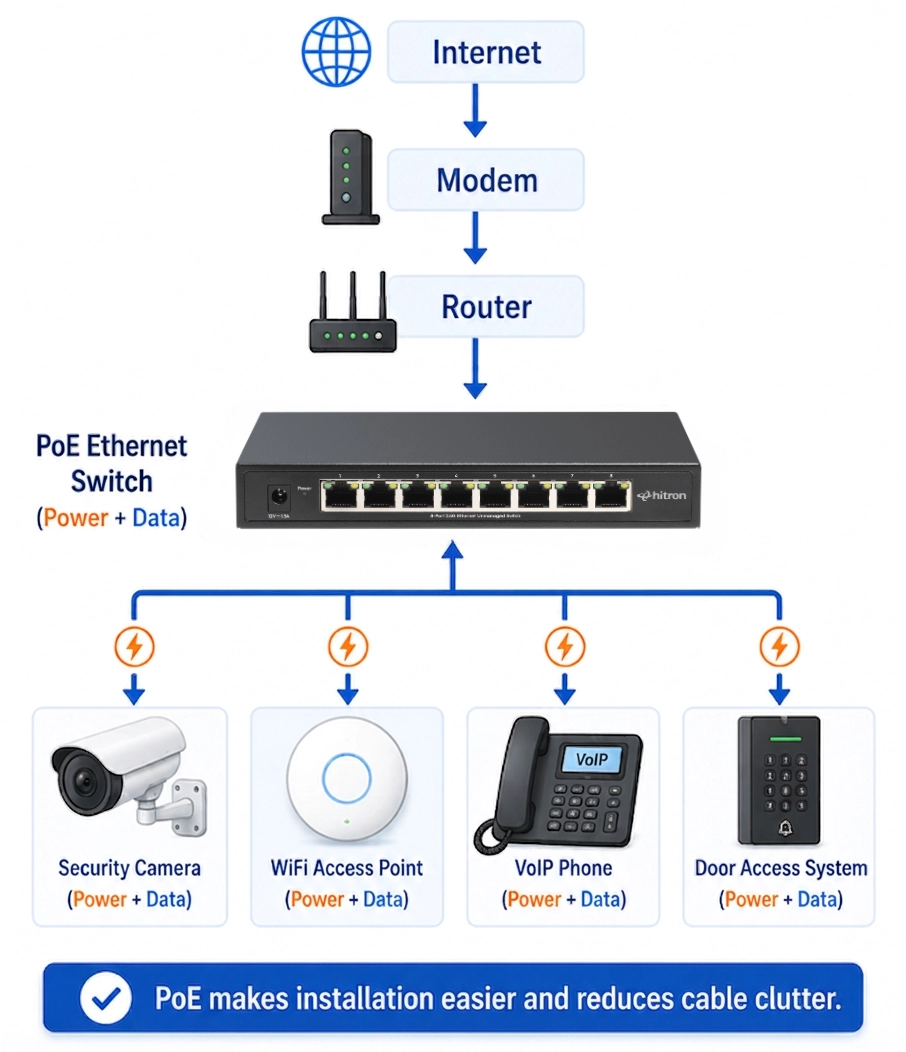
Typical PoE Network
Internet
│
Modem
│
Router
│
PoE Ethernet Switch
├── Security Camera ⚡
├── WiFi Access Point ⚡
├── VoIP Phone ⚡
└── Desktop PC
From the user’s perspective, nothing changes. You still connect an Ethernet cable to the device just as you normally would. The difference is that compatible devices can also receive the power they need through that same cable.
For example, instead of running one cable to provide internet connectivity and another cable to plug a security camera into a nearby electrical outlet, PoE allows both functions to be handled by a single Ethernet cable.
Greatest Advantages of Power over Ethernet (PoE)
The biggest advantages of PoE is simplicity and flexibility. Simplicity to power devices through a single Ethernet cable and flexibility when designing your network.
Without PoE, every connected device needs access to both an Ethernet connection and a nearby electrical outlet. This can limit where devices can be installed or require additional electrical work.
PoE removes many of these limitations by allowing one Ethernet cable to provide both services.
Some of the biggest benefits include:
Easier Installation
Only one Ethernet cable needs to be installed.
This is especially useful for:
- Ceiling-mounted WiFi access points
- Outdoor security cameras
- Garage cameras
- Hallway devices
- Warehouse installations
Cleaner Cable Management
Running a single cable reduces clutter and makes installations look more professional.
This is particularly valuable when installing equipment on ceilings or walls where power outlets may not exist.
Flexible Device Placement
Devices can be installed wherever they provide the best performance—not simply wherever an electrical outlet happens to be available.
For example:
- Mount WiFi access points in the center of a ceiling for better wireless coverage.
- Install security cameras in ideal viewing locations.
- Place VoIP phones anywhere there’s network cabling.
Easier Network Expansion
As more devices are added over time, PoE allows many installations to be completed without additional electrical work.
This makes future upgrades faster and less expensive.
What Devices Use PoE?
Many modern networking devices support PoE.
Common examples include:
Device
Uses PoE?
PoE is primarily designed for network-connected devices that benefit from flexible installation.
Do All Ethernet Switches Support PoE?
No.
Ethernet switches generally fall into two categories:
Non-PoE Switches
These switches transmit network data only.
They are ideal for connecting devices like:
- Desktop computers
- Gaming consoles
- Smart TVs
- NAS devices
If none of your connected devices require power over Ethernet, a standard unmanaged Ethernet switch is often all you need.
PoE Switches
PoE switches provide both data and electrical power through selected Ethernet ports.
They’re designed for installations that include:
- Security cameras
- WiFi access points
- VoIP phones
- Other PoE-enabled devices
Some switches provide PoE on every port, while others provide PoE on only certain ports.
Understanding PoE Standards
Not every PoE device requires the same amount of electrical power.
As networking equipment became more advanced, the IEEE (Institute of Electrical and Electronics Engineers) introduced new PoE standards capable of delivering more power while maintaining compatibility with existing Ethernet infrastructure.
The three most common standards are:
Standard:
IEEE Specification:
Maximum Power Delivered:
Most modern WiFi access points and security cameras use PoE+, which provides enough power for higher-performance devices.
PoE (IEEE 802.3af)
The original PoE standard provides enough power for many basic network devices, including:
- Basic IP security cameras
- Entry-level WiFi access points
- VoIP phones
- Network sensors
PoE+ (IEEE 802.3at)
PoE+ nearly doubles the available power.
It’s commonly used for:
- High-performance WiFi access points
- PTZ (Pan-Tilt-Zoom) security cameras
- Video conferencing equipment
- More demanding network devices
Many modern business-class access points and surveillance cameras are designed to use PoE+.
PoE++ (IEEE 802.3bt)
PoE++ provides significantly more available power for larger network devices.
Examples include:
- Digital displays
- Building automation systems
- Thin-client workstations
- Industrial networking equipment
- Advanced security systems
Most home and small office installations never require PoE++, but it demonstrates how PoE technology continues to evolve.
What Is a PoE Power Budget?
One of the most important specifications on a PoE switch is its PoE power budget.
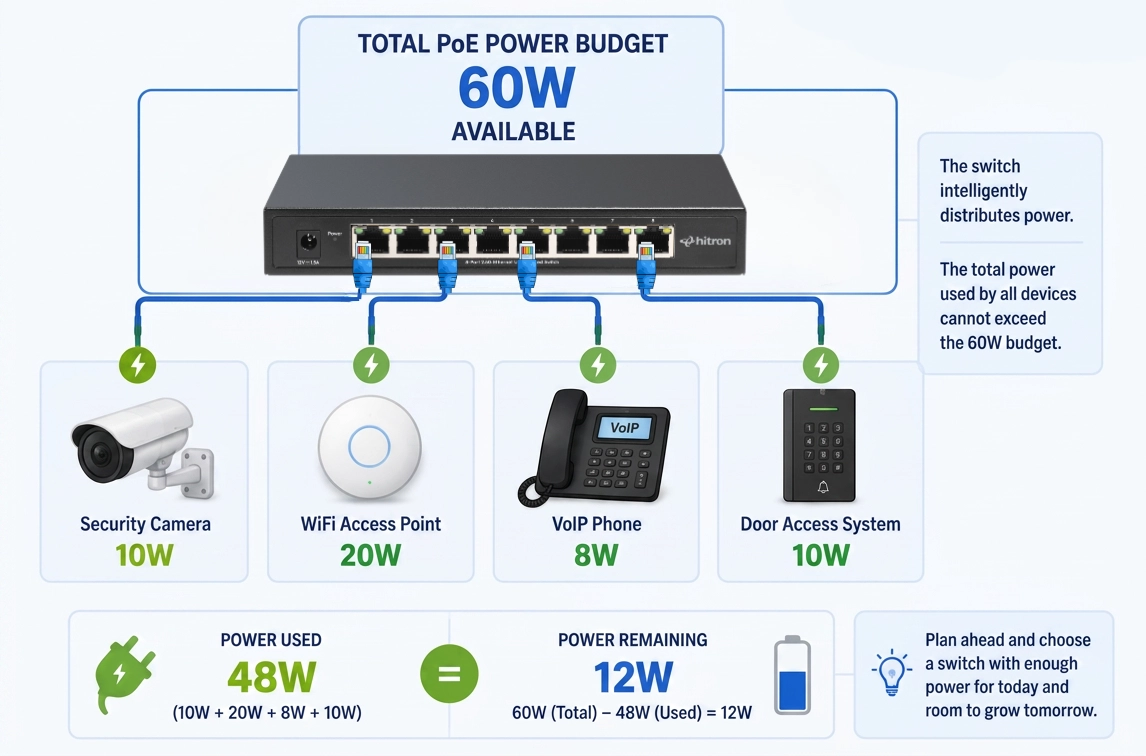
The power budget is the total amount of electrical power that the switch can supply across all of its PoE ports.
Think of it as a shared pool of available power.
For example, a switch with a 60-watt PoE budget could support:
- Four 15-watt security cameras
- Two 30-watt WiFi access points
- A combination of cameras, phones, and access points whose total power requirements remain below 60 watts
The power budget does not limit network speed—it only determines how much electrical power the switch can deliver.
Understanding the power budget becomes increasingly important as additional PoE devices are added to your network.
Does Every Port on a PoE Switch Provide Power?
Not always.
Some switches provide PoE on every Ethernet port, while others supply power only on specific ports.
For example:
- A five-port PoE switch may provide PoE on four ports while reserving one port as a standard network uplink.
- Larger switches may include a combination of PoE and non-PoE ports depending on their intended use.
Always check the switch specifications to determine:
- How many PoE ports are available
- Which PoE standard is supported
- The total PoE power budget
These three specifications determine how many powered devices the switch can support.
Choosing the Right PoE Switch for Your Network
Once you’ve decided that PoE is the right solution, selecting the right switch depends on several practical considerations.
Ask yourself:
- How many PoE devices will I connect today?
- Will I add more devices in the future?
- Do my devices require PoE or PoE+?
- What total PoE power budget do I need?
- Do I want Gigabit or 2.5 Gigabit Ethernet performance?
For many homes and small offices, an unmanaged PoE switch provides the simplest solution. These switches require virtually no configuration—simply connect your devices, and the switch automatically manages network traffic while supplying power to compatible devices.
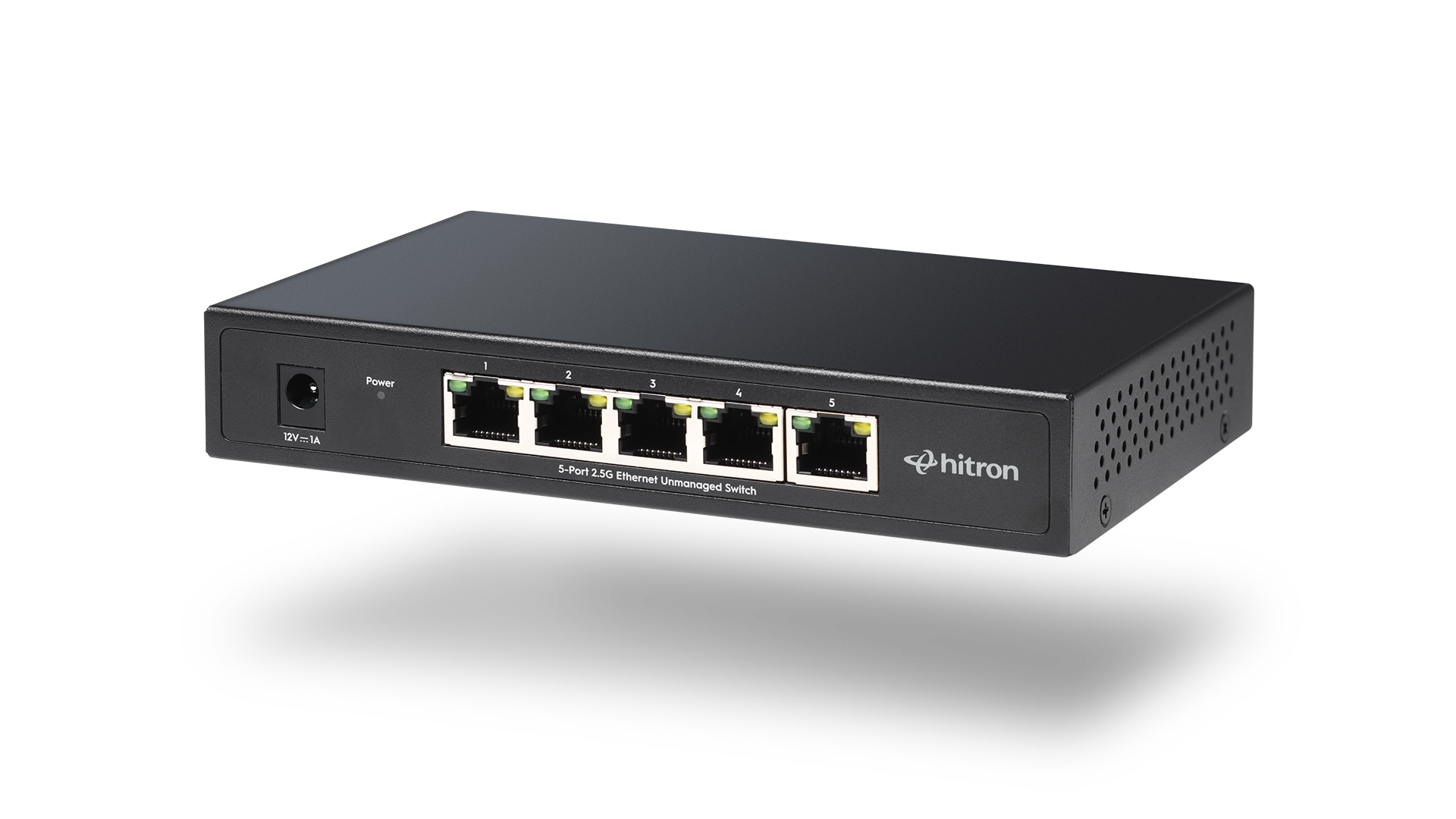
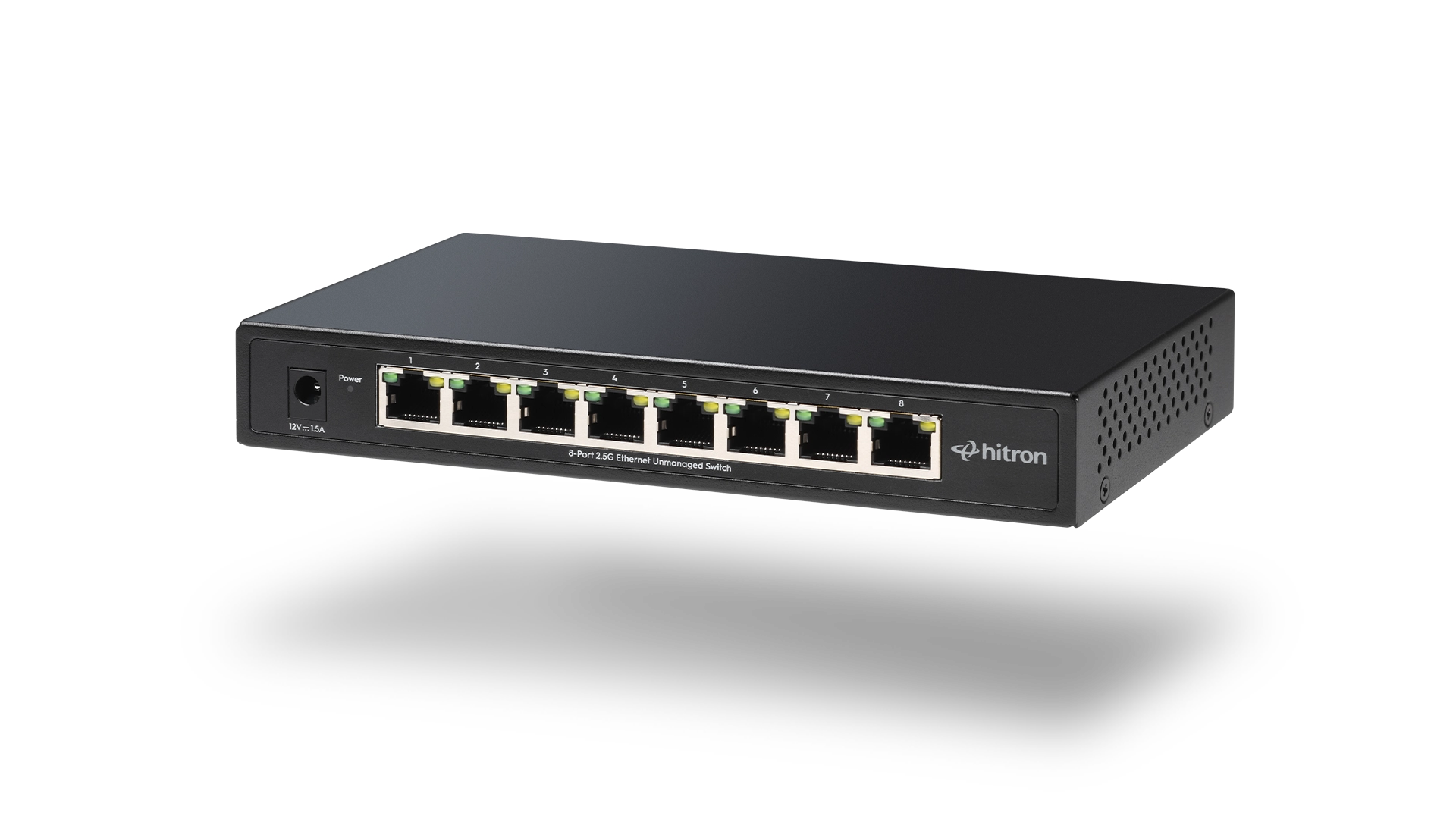
If you’re planning to install multiple security cameras, ceiling-mounted WiFi access points, or other PoE-enabled equipment, Hitron’s APEX2105 and APEX2108 unmanaged 2.5 Gigabit PoE Ethernet switches provide high-speed wired networking with PoE+ support, making it easy to power compatible devices using a single Ethernet cable.
FAQs
Does Power over Ethernet slow down network speeds?
No. PoE does not reduce Ethernet performance.
Power and network data travel together over the same Ethernet cable without affecting network speed. A Gigabit or 2.5 Gigabit PoE connection provides the same data performance as a standard Ethernet connection using the same network equipment and cabling.
Can I plug a regular computer into a PoE switch?
Yes.
Modern PoE switches automatically detect whether a connected device supports PoE before supplying electrical power. If you connect a desktop computer, Smart TV, printer, or gaming console, the switch simply provides a standard Ethernet data connection.
This allows PoE and non-PoE devices to safely share the same switch.
Do I need special Ethernet cables for PoE?
No.
Most PoE installations use the same Ethernet cables found in modern networks, including:
- Cat5e
- Cat6
- Cat6a
As long as the cable meets Ethernet standards and is in good condition, no special “PoE cable” is required.
How far can PoE transmit power?
Like standard Ethernet, PoE typically supports cable runs of up to 100 metres (328 feet) between the switch and the connected device.
For longer distances, network designers typically use additional switches, fiber optic connections, or specialized PoE extenders.
What's the difference between PoE and PoE+?
The primary difference is the amount of electrical power available.
PoE (IEEE 802.3af) provides enough power for many basic devices, while PoE+ (IEEE 802.3at) nearly doubles the available power for more demanding equipment such as advanced WiFi access points and PTZ security cameras.
Most modern business-class networking equipment supports PoE+.
Can I mix PoE and non-PoE devices on the same switch?
Yes.
One of the advantages of a PoE switch is that it can support both powered and non-powered devices simultaneously.
For example, the same switch might connect:
- A security camera
- A WiFi access point
- A VoIP phone
- A desktop computer
- A network printer
Only compatible devices receive electrical power.
Does every port on a PoE switch provide power?
Not necessarily.
Some PoE switches provide power on every Ethernet port, while others only supply power on designated ports.
Always review the product specifications to determine:
- The number of PoE-enabled ports
- The supported PoE standard
The total PoE power budget
Can Power over Ethernet power a laptop?
Generally, no.
Most laptops require significantly more power than standard PoE is designed to deliver. Laptops typically use dedicated AC power adapters or USB-C charging.
PoE is intended for network-connected devices such as security cameras, wireless access points, VoIP phones, and other compatible equipment.
What happens if I exceed the PoE power budget?
If the combined power requirements of connected devices exceed the switch’s available PoE power budget, the switch may not be able to power every device.
Some switches prioritize certain ports, while others simply stop supplying power to additional devices once the available budget has been reached.
When choosing a PoE switch, always calculate the total power requirements of your connected devices and select a model with sufficient available power.
Is Power over Ethernet safe?
Yes.
Modern PoE equipment follows internationally recognized IEEE standards that include automatic device detection.
Before supplying power, the switch verifies that the connected device is designed to receive PoE. This helps protect standard Ethernet devices from accidentally receiving electrical power.
When standards-compliant equipment is used, PoE is considered a safe and reliable method of powering compatible network devices.
Choosing a PoE Switch for Your Network
If you’re planning to install security cameras, improve WiFi coverage with ceiling-mounted access points, or simplify your wired network, a PoE Ethernet switch can make installation cleaner and more efficient by delivering both power and data through a single cable.
When selecting a switch, consider:
- The number of PoE devices you plan to connect
- Whether your devices require PoE or PoE+
- The switch’s total PoE power budget
- The network speed you need today and in the future
For homes and small offices, unmanaged PoE switches provide a simple, plug-and-play solution without requiring advanced network configuration.
Hitron’s APEX2105 and APEX2108 unmanaged 2.5 Gigabit PoE Ethernet switches combine high-speed wired networking with PoE+ support, making it easy to power compatible devices such as security cameras, WiFi access points, and VoIP phones using a single Ethernet cable.
Explore the APEX2105 and APEX2108 product pages to compare features, PoE capabilities, and port configurations to find the switch that’s right for your network.