
Multi-Gig DOCSIS 3.1 Performance
With 2×2 OFDM/OFDMA and DOCSIS 3.0 32×8 bonding, the CODA-5712 delivers reliable multi-gigabit downstream capability while maintaining backward compatibility with DOCSIS 3.0 networks.
Switchable Upstream Frequency
Operators can toggle between 5–85 MHz and 5–204 MHz upstream paths, enabling smooth migration to high-split or future network architectures without swapping out hardware.
Robust Wi-Fi 6 Coverage
Dual-band Wi-Fi 6 with 4×4 5 GHz and 4×4 2.4 GHz radios delivers faster speeds, lower latency, and more efficient performance for multiple connected devices.
Built-in MoCA 2.0 Bonding
Turns existing coax wiring into a high-speed backbone—ideal for extending Wi-Fi coverage or providing stable wired connectivity in hard-to-reach areas.
Enhanced Wired Connectivity
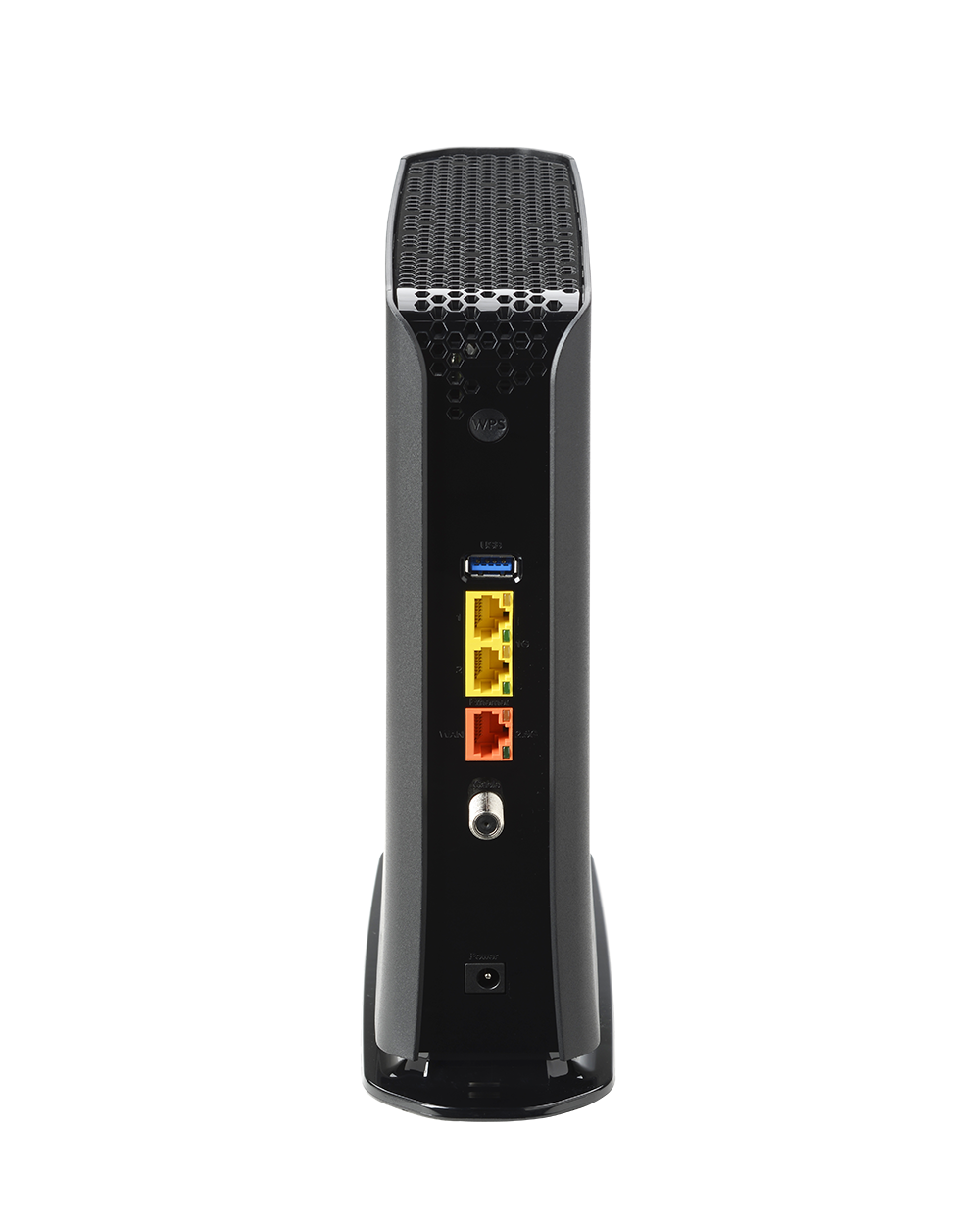
Equipped with 1× 2.5 Gbps Ethernet port and 2× 1 Gbps ports for premium wired connections, plus a USB 3.0 port for media and NAS use cases.
Effortless Setup & Remote Management
Supports SNMP, TR-069, TR-369, HNAP, MyHitron+, and HitronCloud for simplified provisioning, diagnostics, and lifecycle management.
Benefits for Service Providers
- Comprehensive One-Box Solution: Combines DOCSIS 3.1, Wi-Fi 6, and MoCA into one device, reducing the need for multiple pieces of equipment.
- Future-Ready: Flexible upstream tuning ensures operators are prepared for evolving network upgrades.
- Hybrid Connectivity: MoCA delivers wired stability via coax while Wi-Fi 6 ensures high-capacity wireless coverage.
- Operational Efficiency: Streamlined deployments with remote management reduce support costs and truck rolls.
Key Specifications
- DOCSIS Support: DOCSIS 3.1 (2×2 OFDM/OFDMA) + DOCSIS 3.0 (32×8)
- Upstream Tuning: Switchable 5–85 MHz / 5–204 MHz
- Wi-Fi: Dual-band Wi-Fi 6 (4×4 5 GHz + 4×4 2.4 GHz)
- MoCA: Bonded MoCA 2.0 for high-speed coax-based wired uplinks
- Ethernet Ports: 1× 2.5 Gbps + 2× 1 Gbps
- USB Port: 1× USB 3.0
- Management: SNMP, TR-069, TR-369, HNAP, MyHitron+ app, HitronCloud
Documentation
Other Products to Consider
Product
Modem Type
Frequency
WiFi
Wired LAN
Voice
Learn More about Cable Modems & Routers
Cable Modems Explained: Channel Bonding
Too much device traffic on one home Wi-Fi network leads to congestion which leads to slow Internet. That’s why modern cable modems have evolved to create more than one “lane” – or channel – to let that traffic through. This feature is called channel bonding. If you...
Choosing the Right Cable Modem or Cable Modem Router
So, you decided to buy a cable modem or cable modem router for your home network. Now you need to figure out which is best for you. Choosing the right device depends on your specific home setup and your overall Internet needs. Here are some things to consider when...
Cable Modems Explained: Wi-Fi 6 vs 802.11ac
The first version of WiFi was called 802.11. As new generations came out, the name was represented as 802.11 followed by a combination of letters. For example, 802.11b, 802.11g and 802.11n. The difference between these standards is the bandwidth speed, frequency range...
Cable Modems Explained: OFDM vs OFDMA
A cable modem uses a coaxial cable to bring an Internet connection into your home. The job of a cable modem is to directly communicate with your Internet service provider (ISP) to make this happen. Because a cable modem uses a wired connection, it offers a reliable...
Cable Modems Explained: Compatibility with Service Providers
A modem is a device that connects your computer or device to the Internet. A cable modem gives you a cable Internet connection. On its own, a cable modem provides a wired connection. To get wireless Internet (Wi-Fi) you need a router or cable modem router. However,...