If you’ve ever experienced lag during a competitive match, you’ve probably wondered whether your connection is part of the problem.
Many gamers assume that a fast Internet plan automatically means better gaming performance. After all, if your speed test shows 500 Mbps or even 1 Gigabit, shouldn’t everything run smoothly?
The answer is that gaming performance depends on more than speed alone. Online games use relatively little bandwidth compared to activities like streaming 4K video or downloading large files. What matters more is how quickly and consistently data travels between your device and the game server.
This is why the Ethernet versus WiFi debate continues to be relevant for gamers.
For gaming, Ethernet generally provides a more consistent connection with lower latency, less jitter, and fewer interruptions than WiFi. While modern WiFi technologies can support gaming very well, wired connections remain the preferred option when responsiveness and consistency matter most.
Why Gaming Performance Isn’t Just About Speed
When people shop for Internet service, they often focus on download speeds. While speed matters for downloading games and updates, online gaming uses relatively little bandwidth.
What matters more is how quickly information travels between your device and the game server.
Several factors affect gaming performance:
- Latency (Ping)
- Packet Loss
- Jitter
- Connection Consistency
A connection that delivers data consistently often provides a better gaming experience than a faster connection that experiences interruptions or fluctuations.
Ethernet vs WiFi: What Actually Matters for Gaming?
Many comparisons focus on speed, but speed is only one piece of the puzzle.
When evaluating a gaming connection, four factors matter most:
Latency
Latency, often called ping, measures how long it takes data to travel between your device and a game server.
Lower latency generally means:
- Faster response times
- More responsive controls
- Better competitive performance
Jitter
Jitter measures how much your latency changes over time.
A stable connection may maintain a consistent 20 millisecond (ms) ping. An unstable connection might jump between 20 ms and 80 ms repeatedly, creating lag spikes even when average latency appears acceptable.
Packet Loss
Games continuously exchange small packets of information.
When packets are delayed or lost, you may experience:
- Rubber-banding
- Teleporting players
- Delayed actions
- Connection interruptions
Connection Stability
A stable connection delivers data consistently.
This is one reason many gamers choose Ethernet. The goal isn’t simply maximum speed. It’s predictable performance.
Why Slower Wired Connection Can Feel Faster
Gaming performance depends on consistency, not just speed.

500 Mbps Wifi

Signal Interference
WiFi shares the airways with many devices and networks.

Jitter
Latency fluctuates over time, creating inconsistency.

Packet Loss
Data packets are delayed creating inconsistency.

Lag Spikes
Inconsistent connection leads to lag and stuttering.

Lag Spikes
Frustrating gameplay and delayed responses.

100 Mbps Ethernet

Stable Connection
Wired connection is not affected by interference.

Consistent Latency
Latency stays steady and predictable.

Minimal Packet Loss
Data packets arrive reliably and in order.

Smooth Gameplay
Consistent performance means no lag spikes.
Smooth Gameplay
Responsive controls and better performance.

Bandwidth is just one part of the equation. A Stable connection wins the game.
Why Speed Tests Can Be Misleading
One of the biggest misconceptions about gaming is that more bandwidth automatically improves gameplay.
Consider these two connections:
Connection A
- 1 Gigabit WiFi
- Higher latency fluctuations
- Occasional packet loss
Connection B
- 100 Mbps Ethernet
- Consistent latency
- Minimal packet loss
For gaming, Connection B may actually provide the better experience.
Online games typically require only a small amount of bandwidth. The quality of the connection often matters more than the quantity of available speed.
Why WiFi Can Affect Gaming Performance
WiFi technology has improved significantly over the years, but it still faces challenges that Ethernet connections avoid.
Common causes of gaming issues on WiFi include:
Signal Interference
WiFi shares radio frequencies with other devices, including:
- Neighboring WiFi networks
- Bluetooth devices
- Smart home products
- Wireless cameras
- Microwaves
As interference increases, performance can become less predictable.
👉 Related: Fix Your Weak WiFi Signal
Distance from the Router
Walls, floors, metal structures, plumbing, and HVAC systems can weaken wireless signals.
The further a gaming device is from the router, the greater the chance of reduced WiFi signal quality. Even if your speed remains high, signal quality may suffer.
Household Network Congestion
Today’s homes often have dozens of connected devices.
Streaming, video calls, cloud backups, and smart devices all compete for wireless resources.
Even with a fast internet plan, network congestion can affect gaming performance.
Why Many Gamers Prefer Ethernet
Ethernet provides a direct physical connection between your device and your network.
Benefits of Ethernet for gaming include:
- Lower latency
- Reduced packet loss
- More consistent performance
- Less susceptibility to interference
- Improved connection stability
This is why many competitive gamers, streamers, and e-sports players continue to use wired connections whenever possible.
That doesn’t mean WiFi is unsuitable for gaming. Many gamers use WiFi successfully every day.
A wired connection won’t make your Internet plan faster, but it can help ensure your gaming traffic reaches its destination with fewer interruptions.
Ethernet vs WiFi for Gaming Comparison
Feature
WiFi
Ethernet
What If You Can’t Run Ethernet Cable?
This is one of the most common challenges homeowners face.
Your router may be located in the living room while your gaming setup is in a bedroom, basement, or home office.
Running new Ethernet cable throughout a home isn’t always practical. Fortunately, there may already be wiring available that can help create a wired connection.
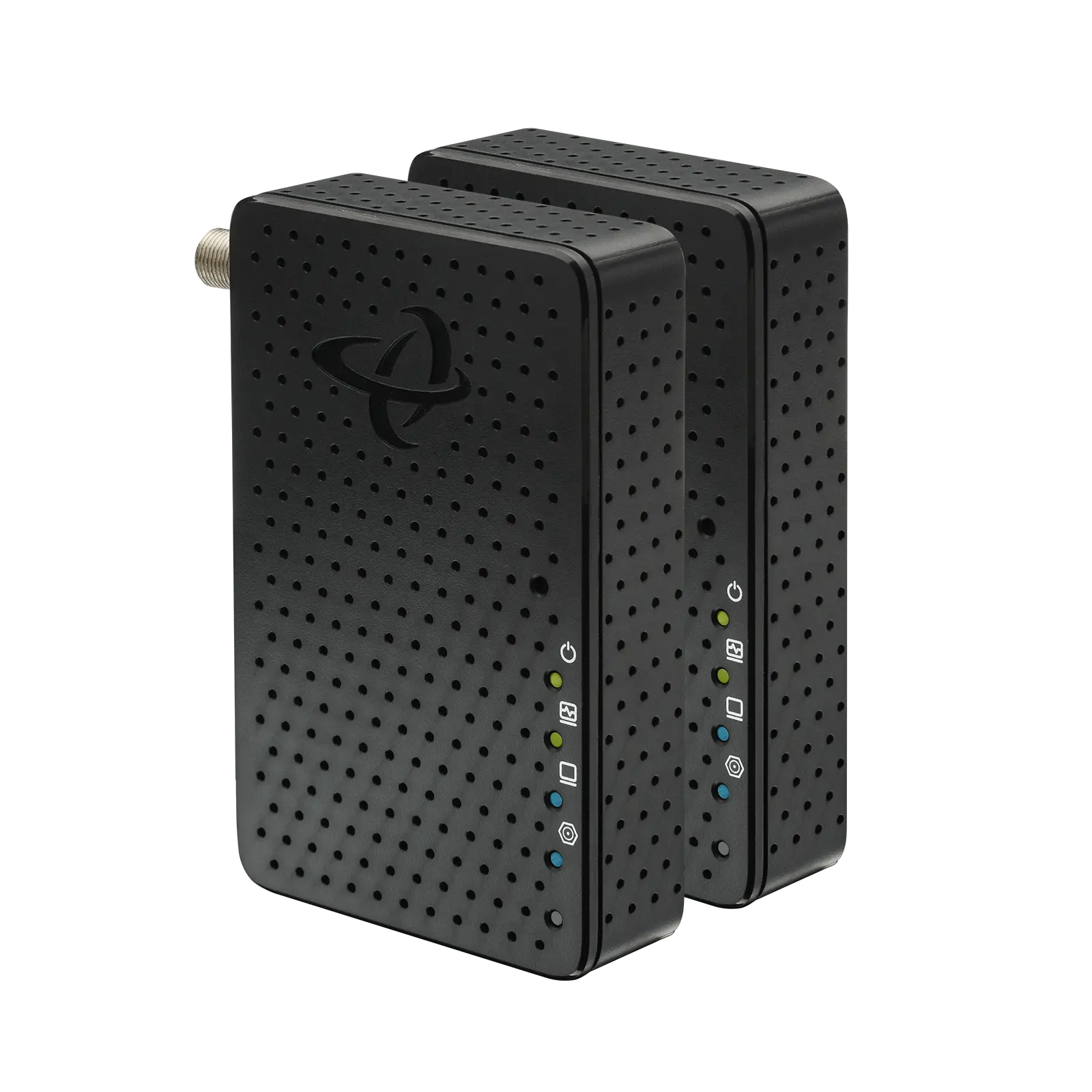
Many homes contain existing coax outlets originally installed for cable television service. Technologies such as MoCA and MoCA Adapters, like Hitron’s HTEM5 MoCA Adapters, allow those coax cables to be used for Ethernet networking.
Existing Coax Wiring May Be Part of the Solution
Many homes already have coax outlets installed throughout the house.
Using MoCA (Multimedia over Coax Alliance) technology, those existing coax cables can often be used to extend network connections between rooms.
This allows homeowners to create wired connections without opening walls or installing new Ethernet cable.
MoCA adapters such as the Hitron HTEM5 can help deliver network connectivity over existing coax wiring, making them a practical option for gaming setups located far from the router.
👉 Related: What Is MoCA and How Does It Work?
Ethernet Without Running New Cable
If you’re looking for the benefits of a wired gaming connection but don’t have Ethernet ports where you need them, understanding your networking options is an important first step. And if running new Ethernet cable isn’t practical, existing coax wiring may offer another path to creating a wired gaming connection.
For many gamers:
- Ethernet provides the best overall experience.
- WiFi offers convenience and flexibility.
- MoCA adapters can help bridge the gap when Ethernet isn’t available.
👉 Related: How Do I Convert Coax to Ethernet?
FAQs
Is Ethernet always better than WiFi for gaming?
Does Ethernet increase Internet speed for gaming?
Can WiFi 6 or WiFi 7 eliminate gaming lag?
What causes lag spikes on WiFi?
Can I get Ethernet in a room without Ethernet ports?
Choosing the Best Connection for Your Gaming Setup
The best connection depends on your home’s layout, your gaming habits, and where your equipment is located.
For many gamers:
• Ethernet provides the best overall experience.
• WiFi offers convenience and flexibility.
• MoCA can help bridge the gap when Ethernet isn’t available.
Understanding these options can help you build a network that supports smoother gameplay and fewer interruptions.
If you’re interested in creating a wired connection without running new Ethernet cable, existing coax wiring may provide an alternative worth exploring.
👉 Related: How Do I Convert Coax to Ethernet?
This guide explains how MoCA technology works, what equipment is required, and how existing coax outlets can help extend network connectivity to gaming systems, home offices, streaming devices, and other connected equipment.