You’re watching a movie, the big game, or your favorite series when the video suddenly freezes.
The spinning buffering wheel appears.
A few moments later it happens again.
Most people assume their Internet service is too slow. In many cases, however, the real problem isn’t the Internet connection coming into the home. It’s how that connection reaches the device doing the streaming.
If streaming constantly buffers on WiFi, understanding why it happens is the first step toward fixing it.
Why Does Streaming Buffer on WiFi?
Streaming buffers when your device can’t receive video data consistently enough to keep playback running smoothly.
Even homes with fast Internet plans can experience buffering if WiFi signals are weakened by distance, walls, interference, or congestion from other connected devices.
When the flow of data becomes inconsistent, the streaming service pauses playback while it waits for more content to arrive.
Streaming Performance Depends on Consistency, Not Just Speed
One of the biggest misconceptions about streaming is that faster Internet automatically means better performance.
In reality, streaming services need a steady flow of data.
For example, a connection that fluctuates between 300 Mbps and 20 Mbps can create more buffering than a connection that consistently delivers 100 Mbps.
That’s because video platforms care about consistency just as much as speed.
When data arrives unevenly, buffering occurs.
Why Streaming Devices Often Expose WiFi Problems
Many online activities don’t require a constant connection.
Browsing websites, checking email, and scrolling social media happen in short bursts.
Streaming is different.
A smart TV, Roku, Apple TV, Fire TV, or gaming console continuously downloads video while you’re watching.
Activity
Network Demand
A WiFi connection that feels perfectly fine for browsing may struggle when asked to deliver high-quality video continuously for hours at a time.
Common Reasons Streaming Buffers on WiFi
Weak WiFi Coverage
The farther a device is from the router, the weaker the signal becomes.
This is why buffering often occurs in:
- Basements
- Upstairs bedrooms
- Bonus rooms
- Home theaters
- Rooms on the opposite side of the home
Your Device May Be Using a Different WiFi Band
Most modern routers broadcast both 2.4 GHz and 5 GHz WiFi.
The 5 GHz band offers higher speeds but shorter range.
The 2.4 GHz band reaches farther but is often more crowded.
Some streaming devices automatically switch between bands based on signal conditions, which can create inconsistent performance in areas with weaker coverage.
Too Many Connected Devices
Today’s homes often contain dozens of connected devices competing for bandwidth.
These may include:
- Smart TVs
- Security cameras
- Smartphones
- Tablets
- Gaming systems
- Smart home devices
The more activity occurring on the network, the more likely performance issues can appear.
Wireless Interference
WiFi signals compete with many other wireless devices.
Common sources of interference include:
- Neighboring WiFi networks
- Bluetooth devices
- Baby monitors
- Wireless speakers
- Smart home products
Interference can reduce signal quality and contribute to buffering.
Why Faster Internet Doesn’t Always Solve Buffering
Many homeowners upgrade to a faster Internet package hoping buffering will disappear.
Sometimes it helps.
Often it doesn’t.
Imagine a smart TV in a basement family room while the router sits on the main floor near the front entrance.
Even if the home has a 1 Gbps Internet plan, the WiFi signal must still travel through walls, floors, furniture, and other obstacles before reaching the TV.
The Internet service may be performing perfectly. The WiFi connection inside the home is what creates the bottleneck.
Ways to Reduce Streaming Buffering
Not every home requires the same solution.
The best approach depends on what’s causing the problem.
Move Your Router
Placing your router in a more central location can improve WiFi coverage throughout the home.
Upgrade Older Networking Equipment
Older routers may struggle to support multiple high-bandwidth devices simultaneously.
Reduce Wireless Interference
Moving the router away from electronics and other wireless devices can sometimes improve performance.
Connect Streaming Devices With Ethernet
A wired Ethernet connection is not affected by many of the issues that impact WiFi performance.
Smart TVs, streaming boxes, and gaming consoles often benefit from a wired connection whenever one is available.
A Common Upgrade for Homes with Coax Outlets
Many homes already have coax outlets installed near televisions and entertainment centers.
Rather than relying entirely on WiFi, some homeowners use those existing coax cables to extend network connectivity to areas where streaming performance suffers.
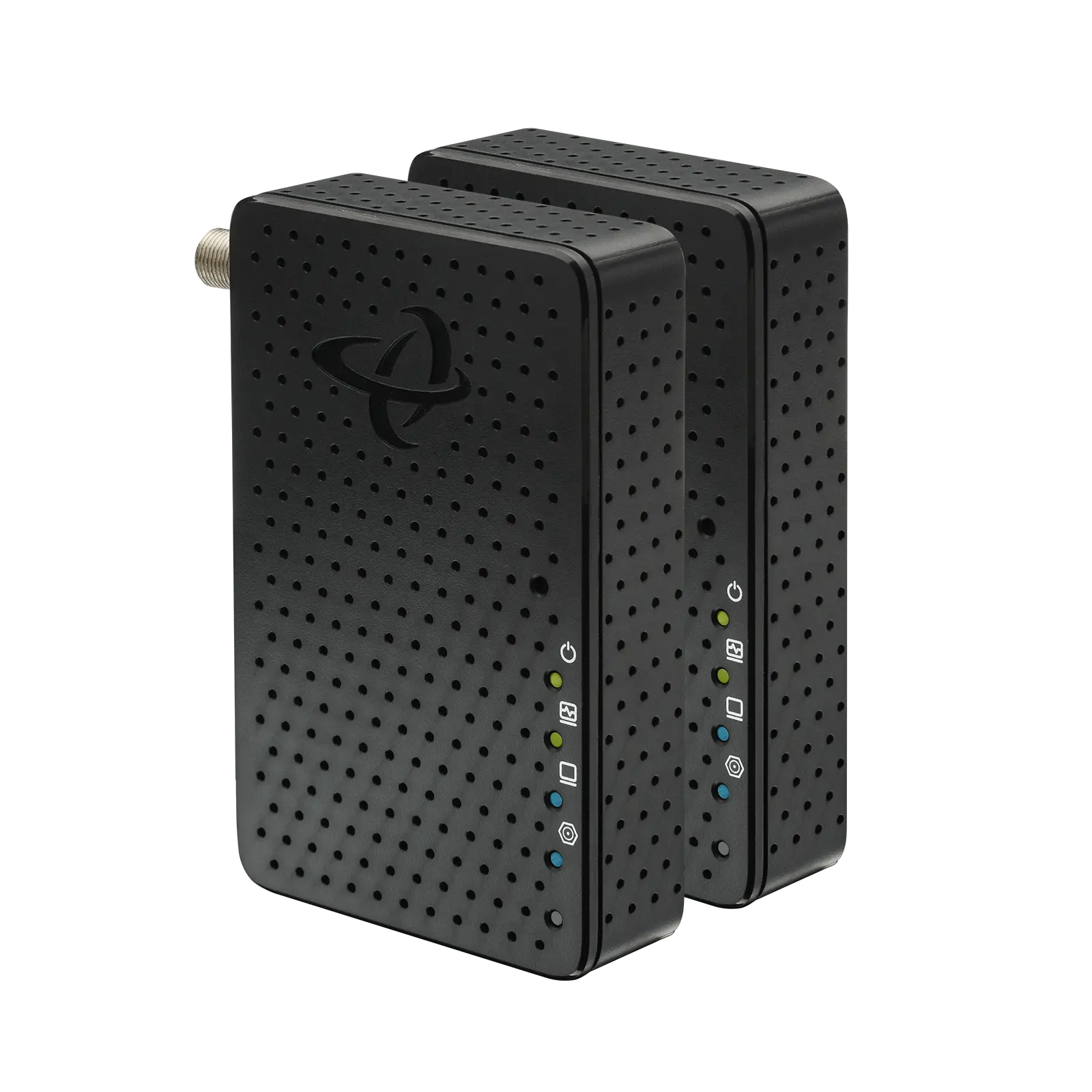
For example, MoCA adapters such as the Hitron HTEM5 can use existing coax wiring to create Ethernet connections in rooms where WiFi coverage may be limited.
This allows smart TVs, streaming devices, gaming consoles, and other connected equipment to benefit from a wired connection without running new Ethernet cable through walls.
Looking Beyond the Buffering Wheel
If streaming constantly buffers despite having a fast Internet plan, the issue may not be your Internet speed at all.
The real problem is often how data travels from your router to the device doing the streaming.
Understanding your options, including wired networking solutions, can help eliminate many common streaming frustrations.
If you’d like to learn how existing coax wiring can be used to help create Ethernet connections throughout your home, read our guide How Do I Convert Coaxial Cable to Ethernet?
👉 Related: What Is MoCA and How Does It Work?
FAQs
Why does my TV buffer even though I have fast Internet?
Why does streaming buffer more in certain rooms?
Is buffering always caused by my Internet provider?
Can a wired connection improve streaming?
Can existing coax cable help improve streaming performance?
Improve Streaming Without Running New Ethernet Cable
Many buffering issues are caused by WiFi limitations rather than slow Internet service.
If your home already has coax outlets, you may have more networking options than you realize. Learn how existing coax wiring can help extend Ethernet connectivity throughout your home in our guide How Do I Convert Coaxial Cable to Ethernet?